

Your team already wants Macs. We make it happen.
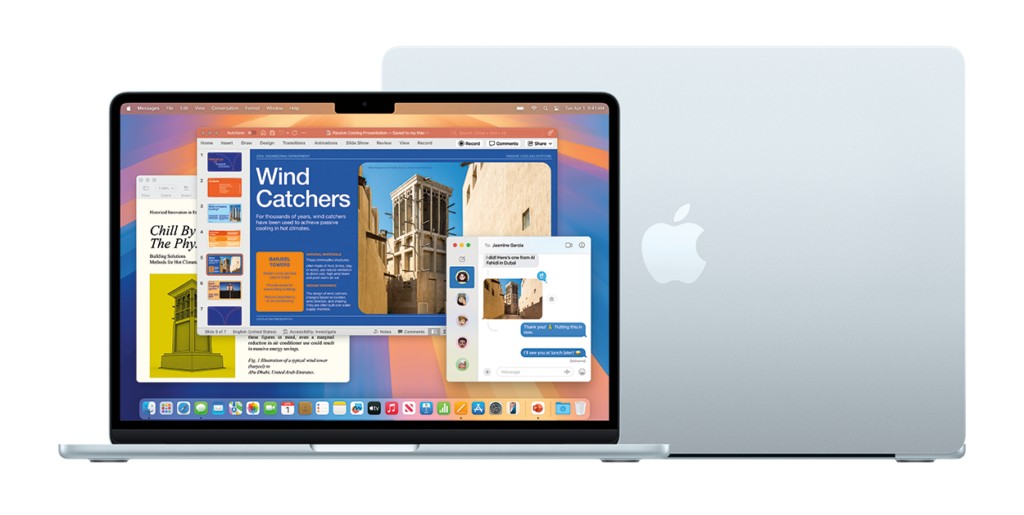
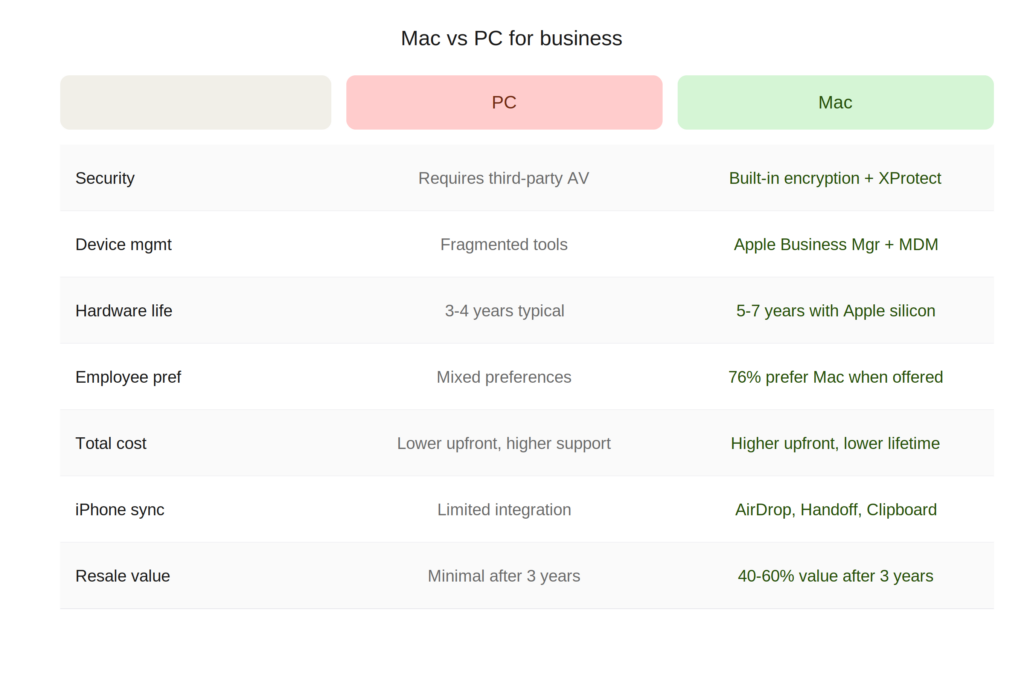
More businesses are moving to Mac every year — and for good reason. Macs are more secure out of the box, easier to manage at scale, and your team is probably already using iPhones. The challenge isn’t whether Mac is right for your business. It’s how to make the switch without losing a day of productivity.
That’s where Virtua Computers comes in. As an Apple Premium Technical Partner, we’ve migrated dozens of businesses from Windows to Mac — from 5-person startups to 200-seat organizations. We handle everything so your team shows up to a Mac that’s ready to go.
Schedule a Free Migration Consultation →
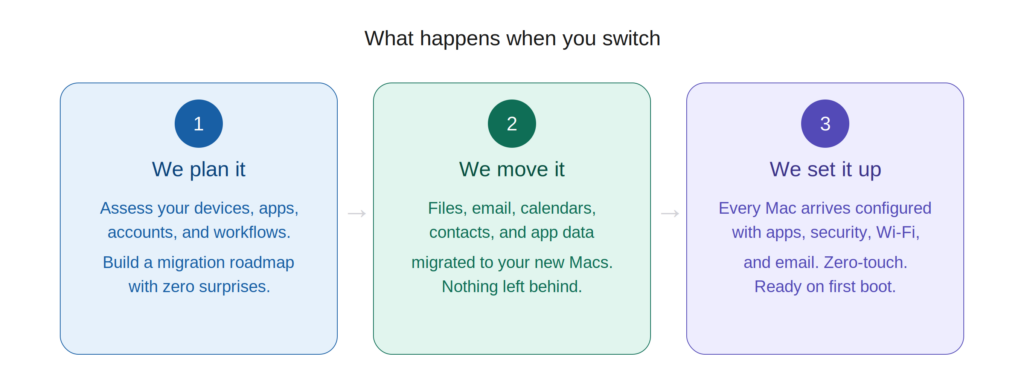
What happens when you switch
We plan it
We assess your current environment — devices, apps, accounts, data, and workflows — and build a migration roadmap tailored to your business. No surprises.
We move it
Files, email, calendars, contacts, bookmarks, and application data are migrated to your new Macs using Apple’s Migration Assistant and our own tested workflows. Nothing gets left behind.
We set it up
Every Mac arrives pre-configured through Apple Business Manager with your company’s apps, security policies, Wi-Fi settings, and email — ready to use on first boot. Zero-touch deployment means no manual setup.
Your apps still work
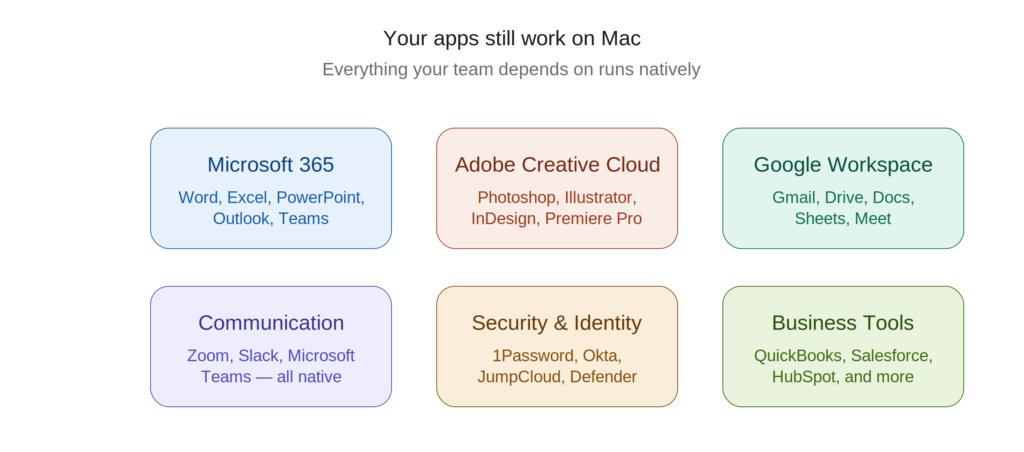
The number one concern we hear: “Will my software work on Mac?” The short answer is yes.
Microsoft 365 — Word, Excel, PowerPoint, Outlook, and Teams all run natively on Mac. Your files, formatting, and macros carry over.
Google Workspace — Gmail, Drive, Docs, Sheets, and Meet work identically in the browser on Mac. Nothing changes.
Adobe Creative Cloud — Photoshop, Illustrator, InDesign, Premiere Pro, and the full Adobe suite run natively on Apple silicon and are significantly faster than on most Windows hardware.
Zoom, Slack, 1Password, QuickBooks — all native Mac apps, all fully supported.
Industry-specific apps — We audit your software stack before migration and identify any apps that need alternatives, virtualization, or web-based workarounds. We’ve never encountered a blocker we couldn’t solve.
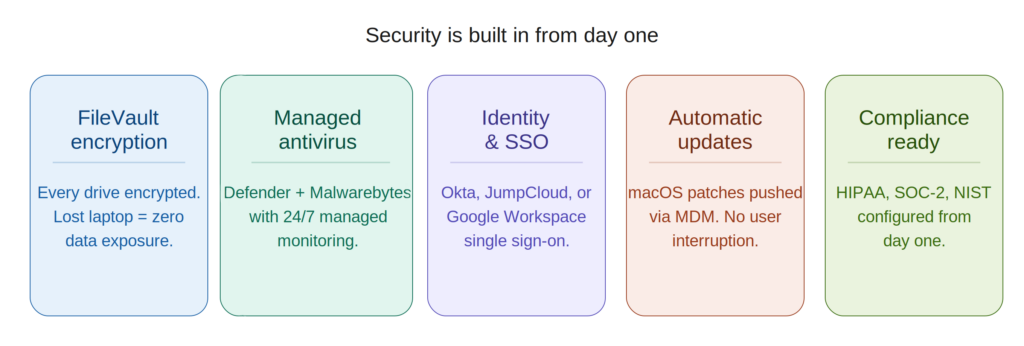
What about security?
Macs are more secure than PCs out of the box — but in a business, “out of the box” isn’t enough. When we set up your Mac environment, we include:
FileVault encryption — Every Mac’s drive is encrypted automatically. If a laptop is lost or stolen, the data is unreadable.
Managed antivirus — We deploy Microsoft Defender for Endpoint and Malwarebytes on every Mac with 24/7 monitoring.
Identity management — Single sign-on through Okta, JumpCloud, or Google Workspace so your team uses one login for everything.
Automatic updates — macOS patches are pushed through MDM on a schedule that doesn’t interrupt your team’s work.
Compliance ready — Need HIPAA, SOC-2, or NIST? We configure your Mac environment to meet those standards from day one.
How a Virtua migration works
Step 1 — Discovery call We learn about your business, your current setup, your pain points, and your timeline. Free, no commitment.
Step 2 — Environment audit We document every device, account, application, and integration in your current environment. This becomes the migration blueprint.
Step 3 — Hardware selection We recommend the right Macs for each role — MacBook Air or Neo for lightweight users, MacBook Pro for creative and development teams, Mac Mini or Mac Studio for workstations. We can order through Apple Business Manager so devices arrive enrolled and ready.
Step 4 — Parallel setup We build your new Mac environment alongside your existing one. Email, file shares, printers, VPN, and security are all configured before your team touches the new hardware.
Step 5 — Migration day We migrate data, swap devices, and verify everything works. Most users are up and running in under an hour. We can do the entire company in a single day or roll it out in phases.
Step 6 — Training We give your team a hands-on walkthrough of macOS basics — keyboard shortcuts, trackpad gestures, Finder vs File Explorer, and how to find everything they need. Most people are comfortable within a day.
Step 7 — Ongoing support After migration, Virtua stays on as your managed IT partner. Proactive monitoring, patching, security, and support — so you never have to think about IT again.
Common questions about switching
How long does a migration take? Most businesses are fully migrated in 1-2 weeks, depending on size and complexity. The actual device swap for each employee takes under an hour.
Will I lose any files? No. We use Apple’s Migration Assistant combined with our own verified workflows to transfer everything — files, email, bookmarks, contacts, calendars, and application data.
What about our printers and network equipment? Macs work with virtually all modern network printers and equipment. We configure everything during the parallel setup phase so printing and networking work from day one.
Do we have to switch everyone at once? No. We support phased rollouts — you can start with one department and expand over time. We also support mixed Mac and Windows environments if some roles require it.
What if an employee has never used a Mac? We provide hands-on training. Most people who use an iPhone are comfortable on a Mac within a day. The learning curve is genuinely small.
How much does a migration cost? It depends on the size of your team and the complexity of your environment. Schedule a free consultation and we’ll give you a clear quote with no surprises.
Ready to make the switch?
Whether you’re replacing one laptop or migrating your entire company, Virtua Computers makes switching to Mac simple, secure, and painless.